Download on the App Store Get it on Google Play
What the app does
- Home-screen widgets: small, medium and large widgets show a countdown without opening the app, on iPhone and Android.
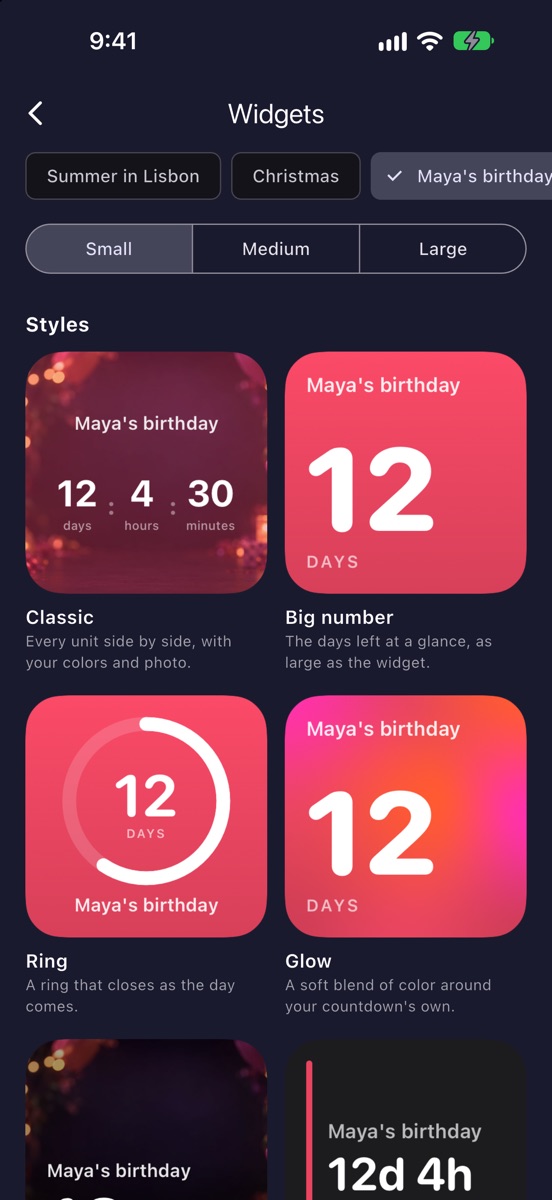
- Six widget styles: the app’s Widgets screen shows each one with your own countdown before you add it. Classic is free; the other five come with count.live Pro.
- A notification at zero: the app tells you the moment a countdown ends, even when it’s closed.
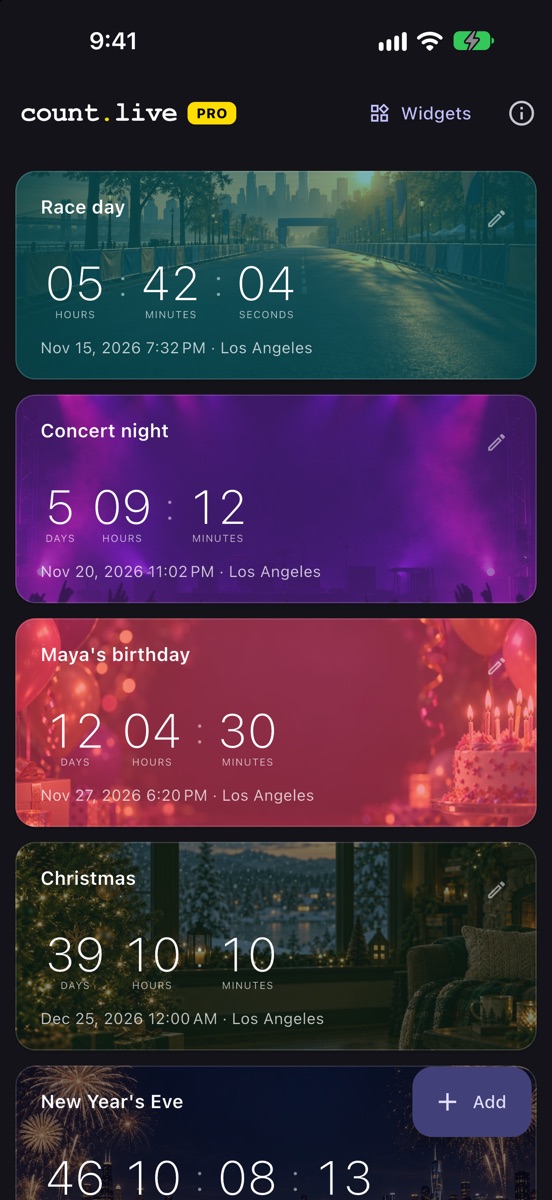
- All your countdowns in one list: trips, birthdays, holidays, launches and exams, sorted by what comes next.
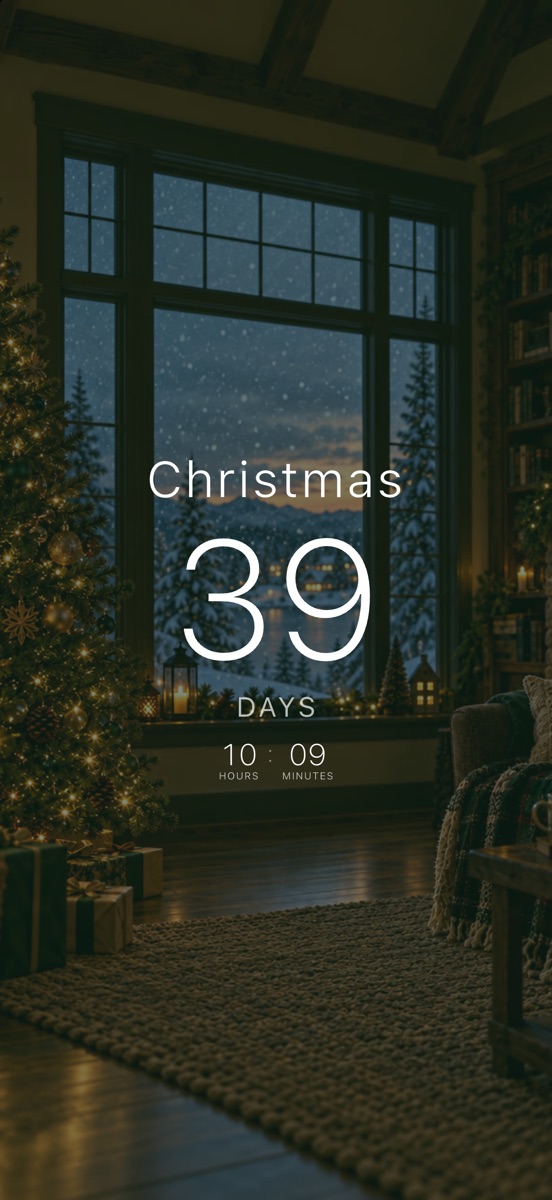
- Your own look: five looks for the countdown (Classic, Big number, Ring, Cards and Glow), ready-made pictures for the occasion or your own photo, and themes, colors and fonts.
- Repeating countdowns: birthdays and anniversaries come back every year by themselves, and you choose how long the end message stays.
- Hide units at zero: if you like, the days disappear on the last day and the hours in the last hour.
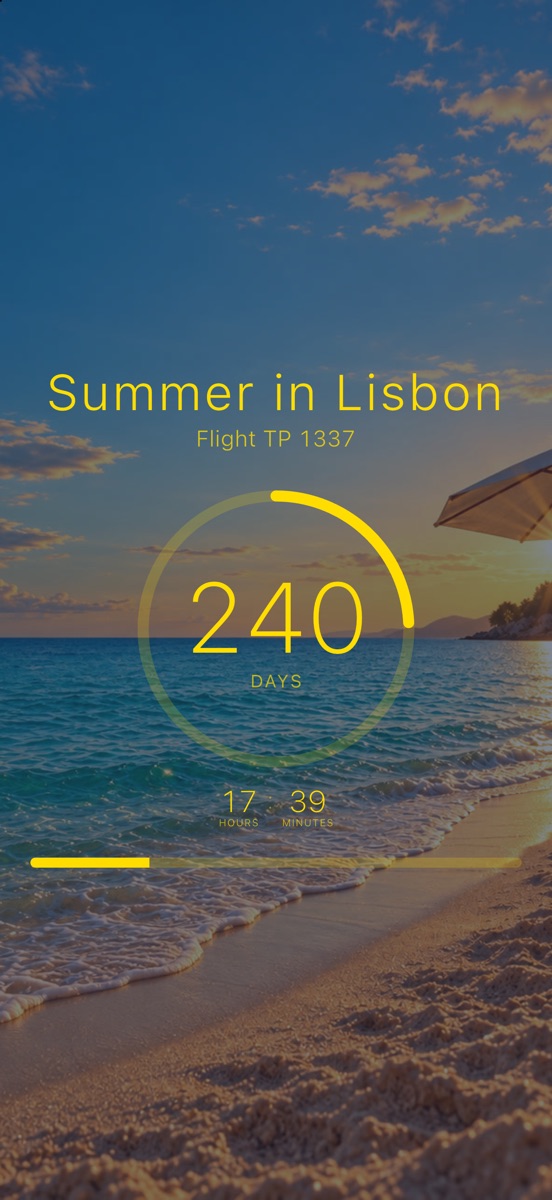
- Progress: a bar and a percentage show how far along you are between a start date and the day.
- Sharing: every countdown is also a count.live link that opens in any browser, with nothing to install for the person you send it to.
Works with count.live links
A countdown made in the web builder opens in the app: tap a count.live link on a phone with the app installed and the countdown appears there, ready to save. And a countdown made in the app can be shared as a link, added to Canva or Notion, or embedded on a website.
Free and Pro
The app is free to download. The free version includes:
- Up to 3 saved countdowns.
- The Classic widget in small, medium and large, on iPhone and Android; all your widgets show the same countdown.
- A notification at zero.
- Every countdown look: the five looks, themes, colors, fonts, the ready-made pictures and your own photos.
count.live Pro is a yearly subscription, or a one-time purchase that’s yours for good. You buy it in the app through the App Store or Google Play, and the app shows the prices. It adds:
- Unlimited countdowns, and a different countdown on every widget.
- Five more widget styles: Big number, Ring, Glow, Photo card and Minimal on iPhone; Big number, Ring, Shape, Photo card and Glass on Android.
- Lock Screen widgets on iPhone: a countdown under the clock, as a circle, a rectangle or a single line.
- A live countdown at the end, ticking by the second without opening the app: for up to the last 8 hours as a Live Activity on the Lock Screen and in the Dynamic Island on iPhone, for the last hour as a live notification on Android.
- Count up after the day: a countdown can keep going and show the time since, such as days married or days since the move.
- Reminders a week, a day or an hour before, not only at zero.
- The “Next up” widget with your next three countdowns, soonest first.
- iCloud backup and sync on iPhone, so your countdowns come back on a new phone.
- Wallpaper colors for widgets on Android 12 or later, and widget transparency and dimming on Android.
Founders: if you used the app before Pro existed, you keep unlimited countdowns and a different countdown on every widget, for good, without Pro. The other Pro features come with Pro.
Price and privacy
The app is free to download, Pro is optional, and the app never shows ads. There is no account to create, and your countdowns stay on your device (and in your own iCloud or Google backup, if you use one). Details are in the privacy policy.
Requirements
- iPhone and iPad: from the App Store. Widgets and the live countdown need iOS 17 or later.
- Android: from Google Play.
- Languages: English, Spanish and Portuguese; the app follows your phone’s language.
- Computers: no app needed; countdowns run in the browser at count.live.
Frequently asked questions
Is the count.live app free?
Yes. It is free to download, with up to 3 saved countdowns, every countdown look, the Classic home-screen widget and a notification at zero. The optional count.live Pro adds unlimited countdowns, five more widget styles, Lock Screen widgets, a live countdown and more; the app shows the prices. The app never shows ads and needs no account.
Which widget styles are there?
Six on each phone: Classic, Big number, Ring, Glow, Photo card and Minimal on iPhone, and Classic, Big number, Ring, Shape, Photo card and Glass on Android. Classic is free and the others come with count.live Pro. The app’s Widgets screen shows each style with your own countdown, and you pick one in the widget’s settings.
Does count.live have Lock Screen widgets and Live Activities?
Yes, with count.live Pro. On iPhone you can add a countdown to the Lock Screen, and for up to the last 8 hours a Live Activity shows it ticking on the Lock Screen and in the Dynamic Island. On Android the last hour ticks in a live notification.
Can a countdown count up after the day?
Yes, with count.live Pro. Turn it on when you create or edit a countdown, and after the day it shows the time since, such as days married.
I used the app before Pro. What do I keep?
Everyone who used the app before Pro existed keeps unlimited countdowns and a different countdown on every widget, for good. The other Pro features, such as Lock Screen widgets and reminders, come with Pro.
How do I add a countdown widget to my home screen?
Install the app and save a countdown. Then touch and hold an empty spot on your home screen, choose to add a widget, pick count.live, and choose the countdown to show in the widget’s settings.
Do I need an account?
No. The app works without an account or sign-in, and your countdowns are stored on your device.
Can I open a countdown someone sent me in the app?
Yes. With the app installed, tapping a count.live countdown link opens it in the app, where you can save it.